Timesheets
Hours that add up, without the nagging.
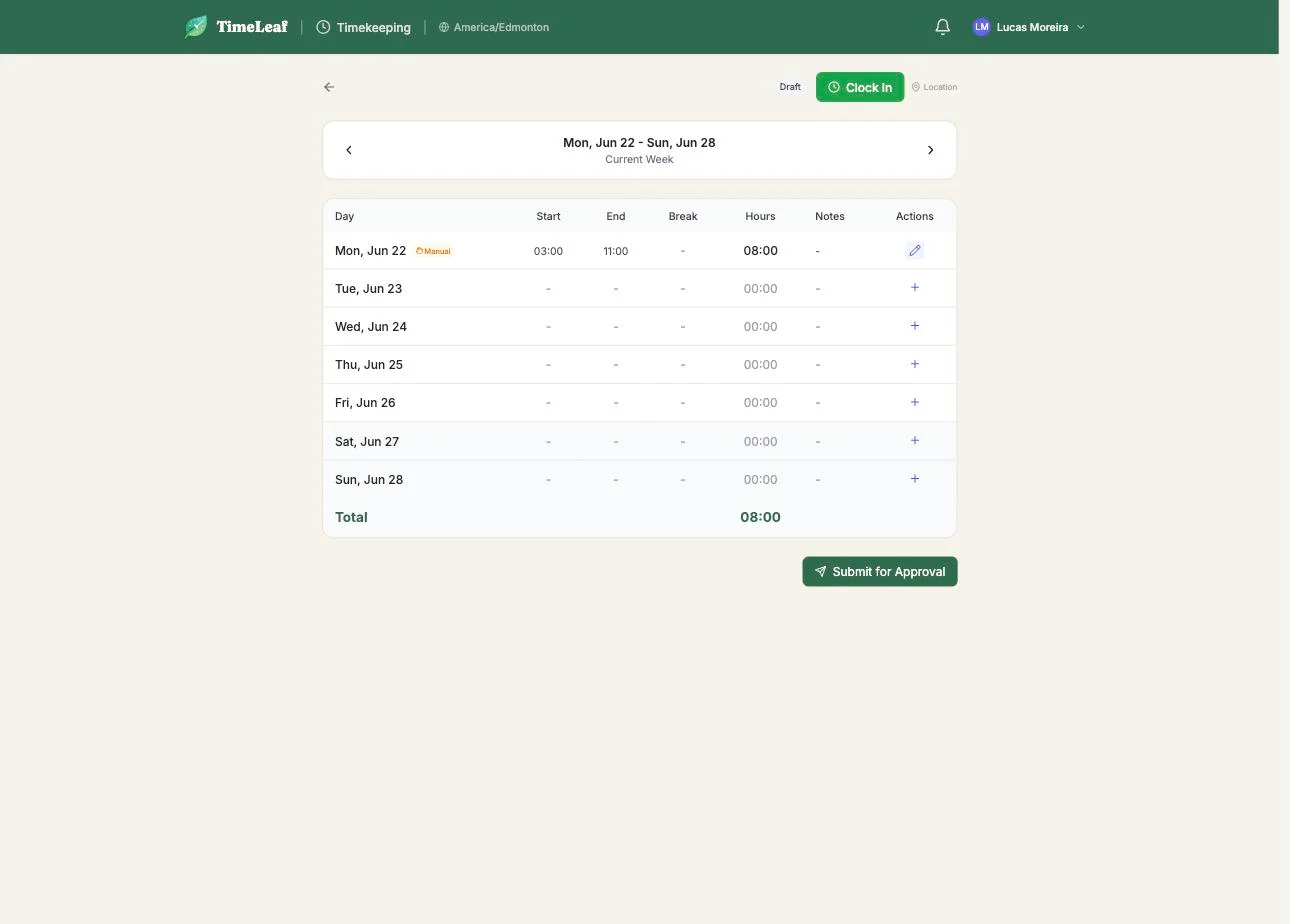
People clock in from Slack, Teams, Google Chat or the web, and check in at the job site with GPS. Timesheets build themselves during the week. Managers approve the exceptions, not every row.
Timekeeping, including hours export, is on Professional and up.
How it works
Three steps. Zero new habits.
01
Clock in where you are
Chat or web. Crew check in at each job site; the pin and geofence flag a tap that happened somewhere else.
02
The week fills itself in
Entries land on the weekly timesheet as they happen. Missing clock-outs and implausible days are flagged for a look, never silently rewritten.
03
Approve, then export
Managers approve the week. Approved hours go to a payroll CSV, or straight to QuickBooks Online and Xero payroll.
What you get
Everything in the box.
- Clock in and out from chat or the web
- GPS check-in and check-out at job sites, with geofence warnings
- Weekly timesheets with manager approval
- Review flags for long days and unconfirmed clock-outs
- Routes with several stops per shift
- Payroll CSV export of approved hours
- QuickBooks Online and Xero payroll sync
- Approved hours feed client invoicing
Friday without the spreadsheet.
Turn on timekeeping, hand people the bot, and approve your first week this Monday.
Start free trial14-day free trial · Live in 30 minutes