Every shift covered, by someone qualified to work it.
Build the week from templates. Staff it by role and qualification. See the gaps before they become emergencies. Then flip the same week from crew to site and send everyone where the work is.
Shift scheduling on Professional and up. Auto-roster and takeover automation on Business and up.
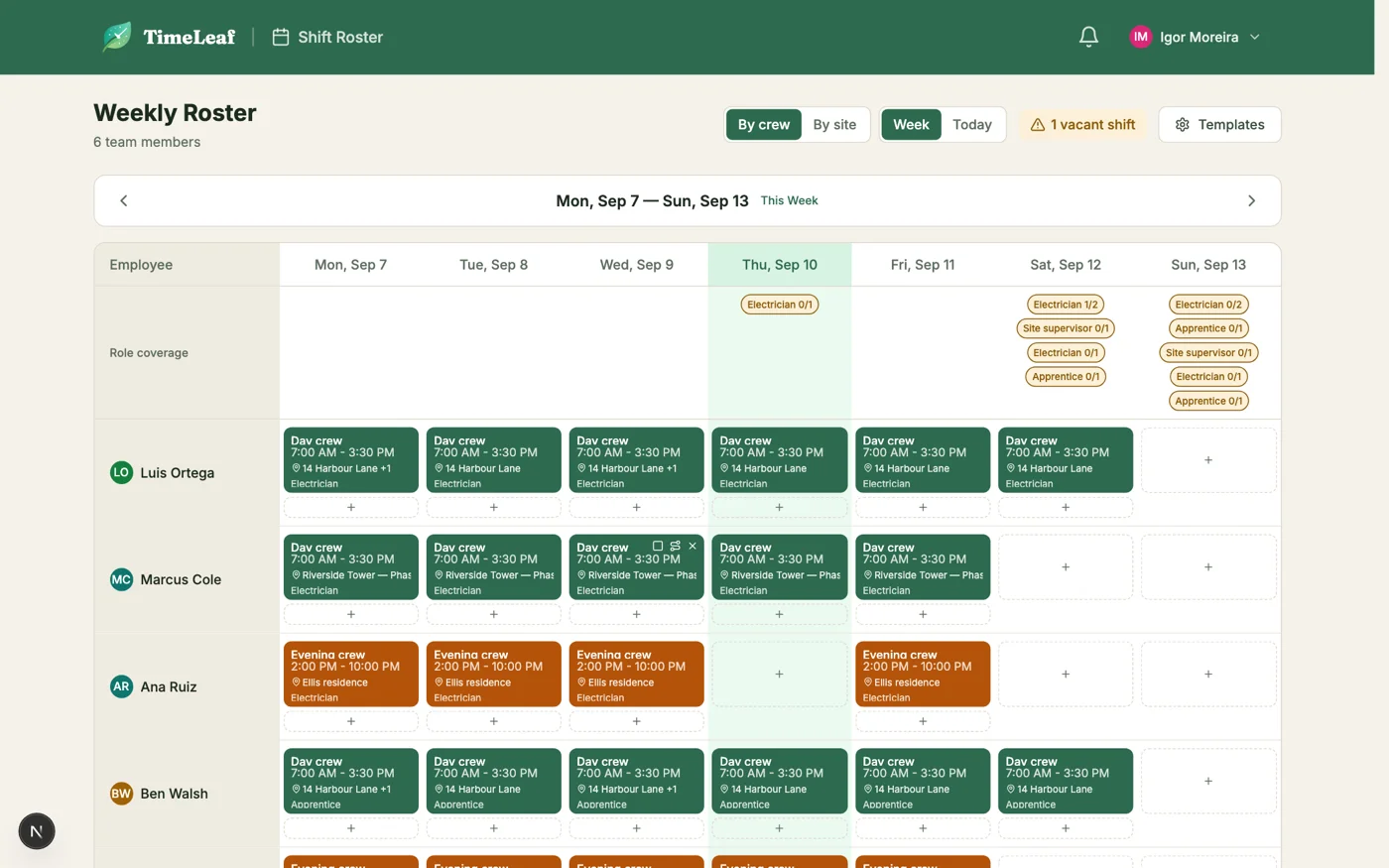
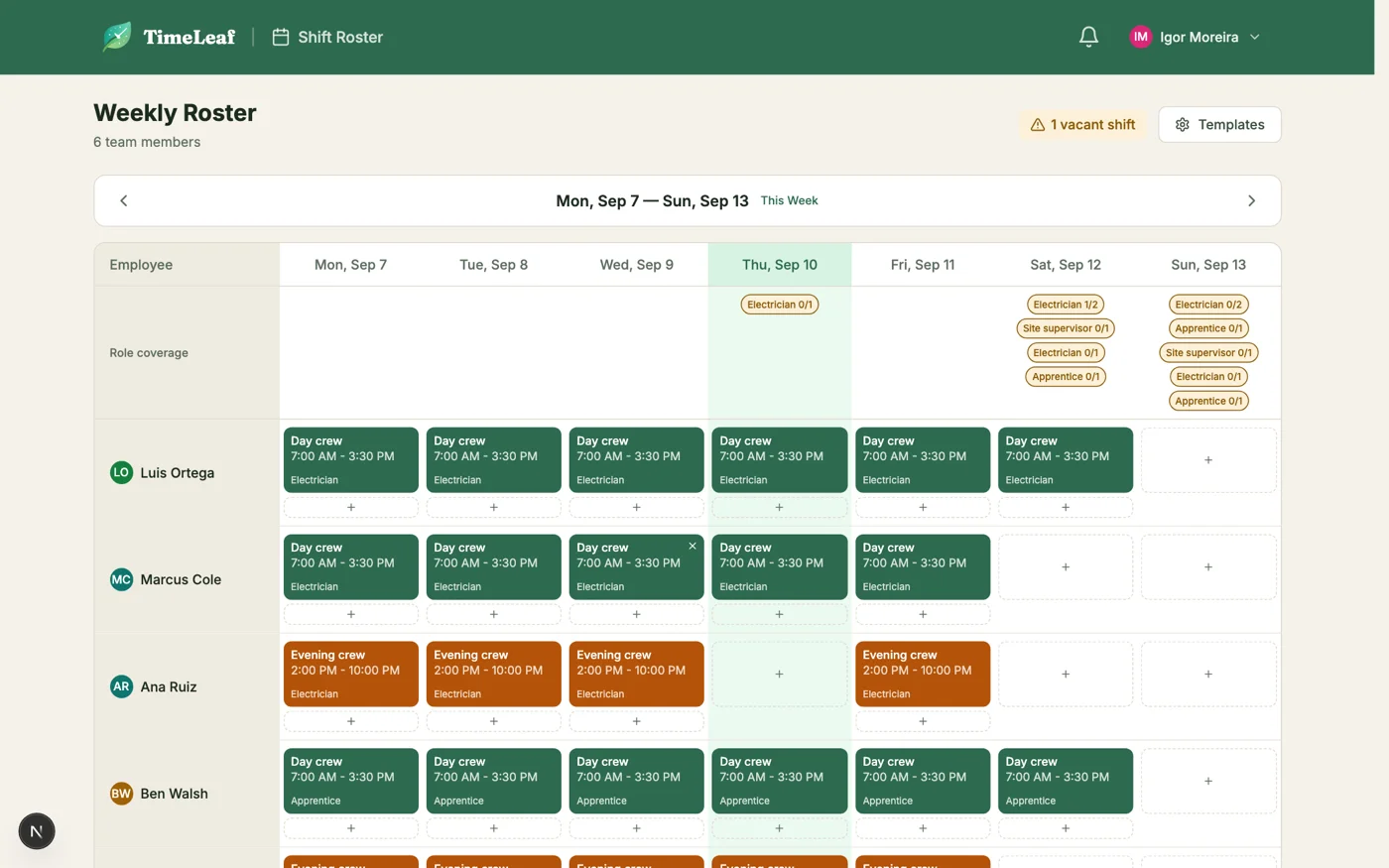
The week by crew: one row per person, the site on every card, gaps in the coverage row.
One row per person. One card per shift.
Templates set the hours, roles set who can fill them, and the coverage row at the top tells you what is still open. A vacant shift is a real row on the board, not a note on a whiteboard: offer it out and the first qualified person to accept gets it.
- Shift templates with start, end, break and colour, assigned from the weekly roster
- Role coverage per day: Electrician 1/2 is a gap you see before Thursday night
- Vacant slots are real rows: offer them out, or assign someone directly
- Assigning someone unqualified warns; forcing it is audited
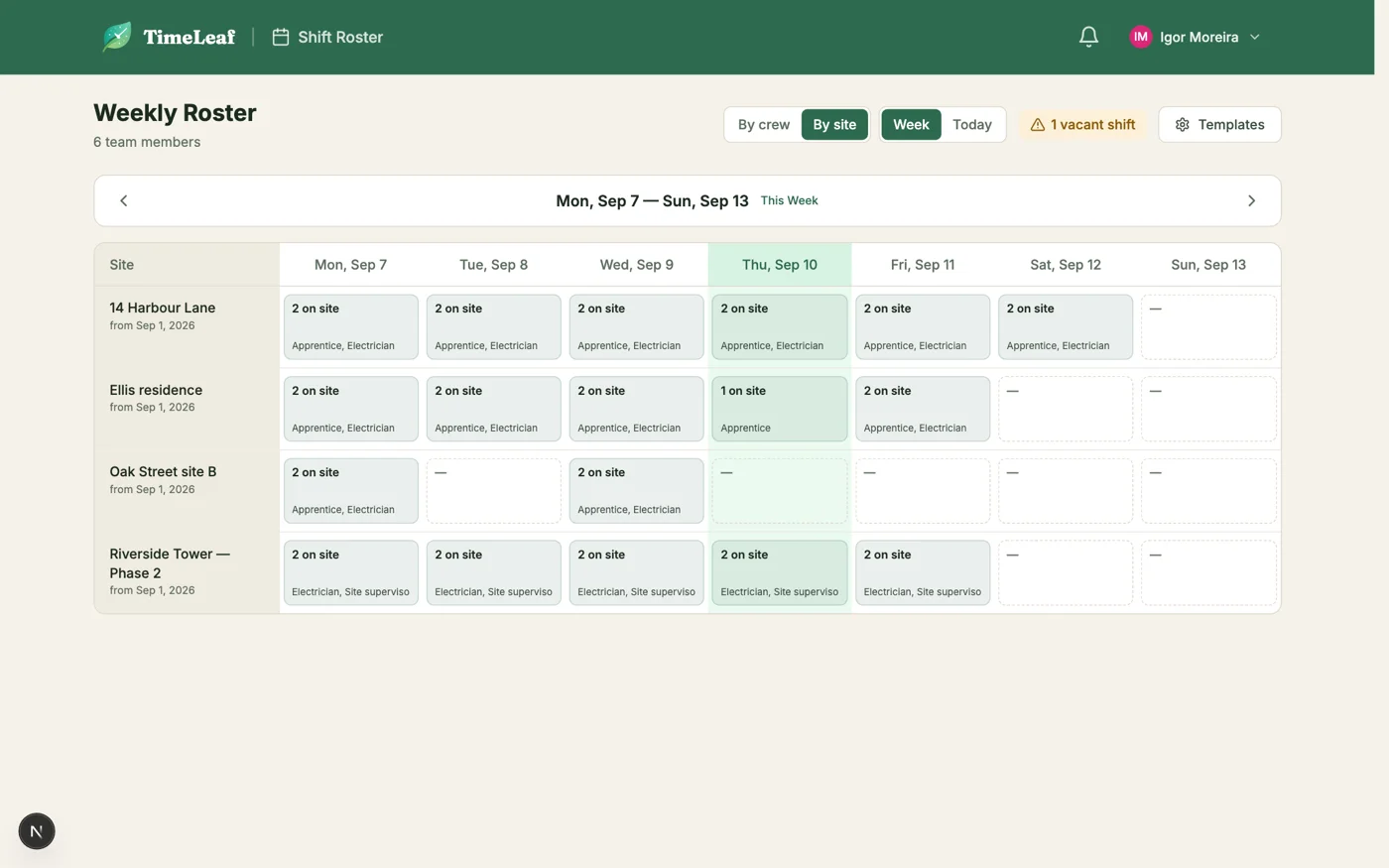
Same week. Now by site.
Turn on job sites and every shift carries a route. Flip the roster to By site and the week reads as a dispatcher needs it: which sites are staffed each day, by which roles, and where the holes are. Nothing to re-enter, it is the same data.
- The same week, transposed: who is at which site, per day
- A shift carries a route: one stop for a patient’s home, two for a service run
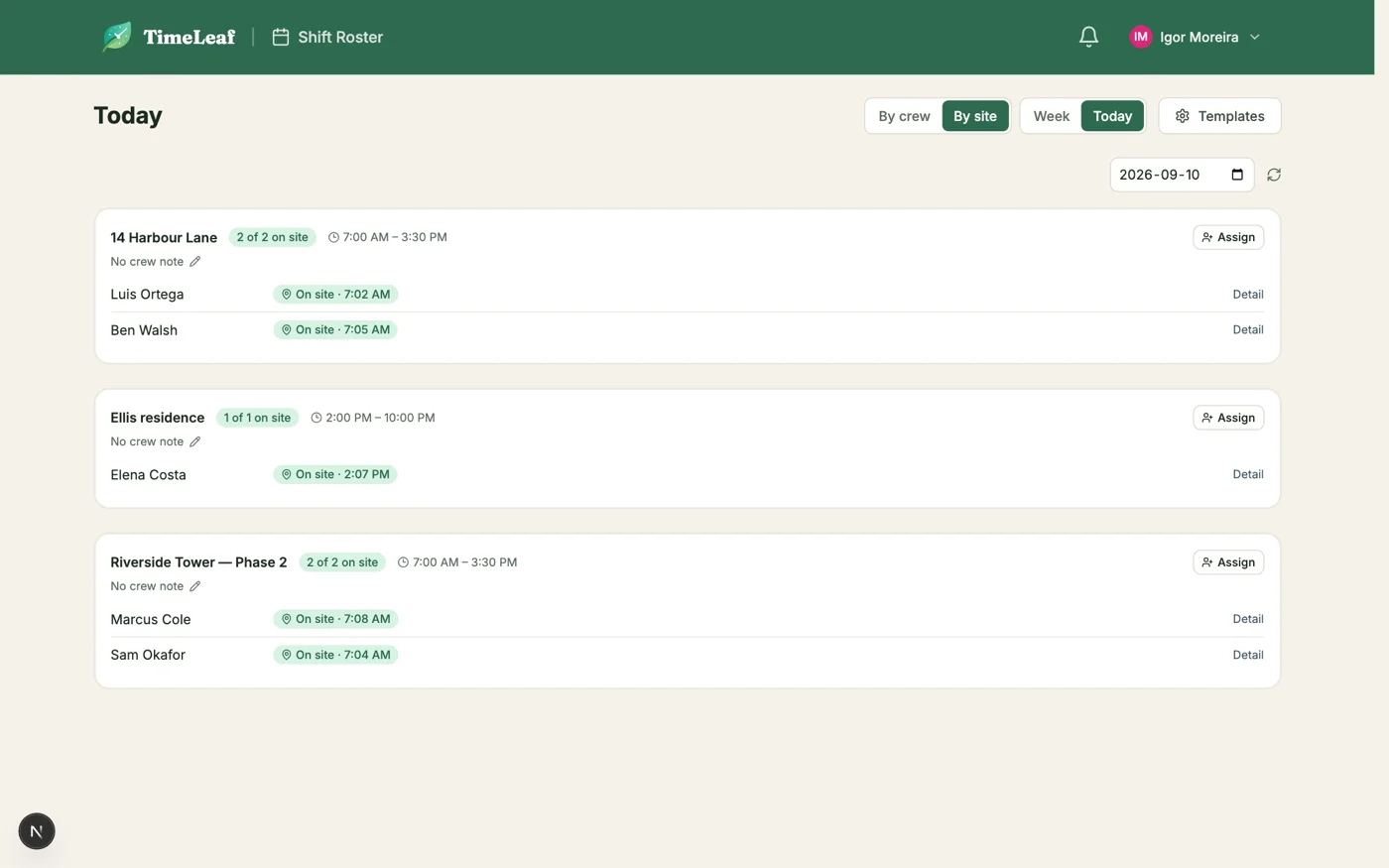
- Today shows who checked in at the door, and who is late, with GPS distance
- Job sites are optional: turn them off and the roster is just the crew grid
Who is on site right now.
The crew checks in at the door from their phone. The Today board shows each site with who has arrived, when, and who is late, so a no-show is a call at 7:15, not a discovery at noon. Those check-ins are the same evidence your timesheets and client invoices are built on.
The roster fills itself before you notice.
The gap shows
A vacant or released shift stays on the roster as a visible gap, and shows in the role coverage row as an open slot. Every manager sees it.
Offer it out
Takeover offers go to qualified, available people in waves. Each one lands in their notifications and email, and they accept or decline from the dashboard. Accepting is an atomic claim, so two people never end up on one slot.
Or let the roster generate
Auto-roster fills templates from qualifications and fairness rules, scarcest role first, and leaves visible vacants where nobody fits.
Everything in the box.
- Shift templates and a weekly roster
- Role-based staffing with qualification checks
- Coverage warnings before gaps become emergencies
- Job sites, routes and check-in at each stop
- Takeover offers answered from the app dashboard or an email link
- Auto-roster generation with fairness rules
- Conflict detection against leave and other shifts
- Overtime broadcasting with a compliance log
- Approved hours feed timesheets, payroll and invoices
See also: Job sites · Timesheets · Overtime · On-call
Next week, already covered.
Set up your templates and roles once. The roster, the gaps and the offers take care of themselves.
Start free trial14-day free trial · Live in 30 minutes